Workflow & Planning
SourcePack Hub
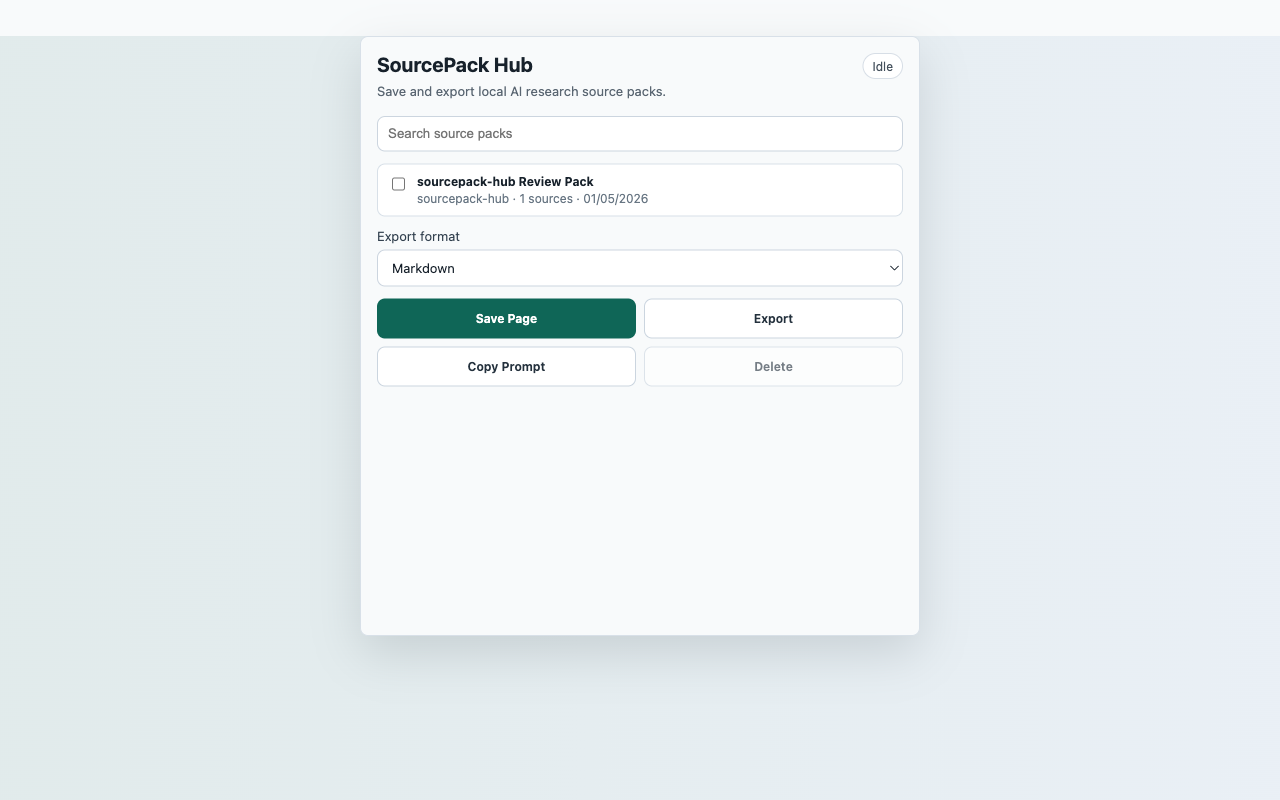
Save current-page research captures inside a local SourcePack library and export selected packs.
InputCurrent active web page after user action
ActionSave Page
FilesMarkdown, NotebookLM-style Markdown, JSON SourcePack, CSV source index
PermissionactiveTab, storage, contextMenus, downloads, scripting; no persistent host permissions
StorageLocal SourcePack library in chrome.storage.local
ReviewerOpen reproducible guide
Captured content stays local unless the user downloads an export.
Core flow
Save Page to local export
- Open a normal web page.
- Click the extension action, then choose Save Page.
- Search the local library and select saved packs.
- Merge selected packs and export Markdown, JSON, or CSV.
Capture surfaceCurrent active web page after user action
Suggested smoke targetSuggested smoke target: https://sourcepack-tools.pages.dev/fixtures/article
Primary actionSave Page
ExportsMarkdown, NotebookLM-style Markdown, JSON SourcePack, CSV source index
StorageLocal SourcePack library in chrome.storage.local
PermissionsactiveTab, storage, contextMenus, downloads, scripting; no persistent host permissions
Scope
What ships in this build
Included
- Creates a local library for SourcePack captures made inside this extension.
- Searches saved pack titles, source titles, and source URLs.
- Exports merged packs and copies a citation-focused prompt.
- Uses delete confirmation before removing saved packs.
- Requests no persistent host permissions.
Limits
- This launch build stores packs created inside SourcePack Hub, not cross-extension shared storage.
- Restricted browser pages such as chrome:// pages cannot be captured.
- Clearing extension data or uninstalling the extension removes local packs.